Go Back
If you are currently subscribed to IAM-STP and wish to upgrade to IAM Business, it is possible.
Login to your IAM STP account.
Note that your subscription type is given as "IAM STP".
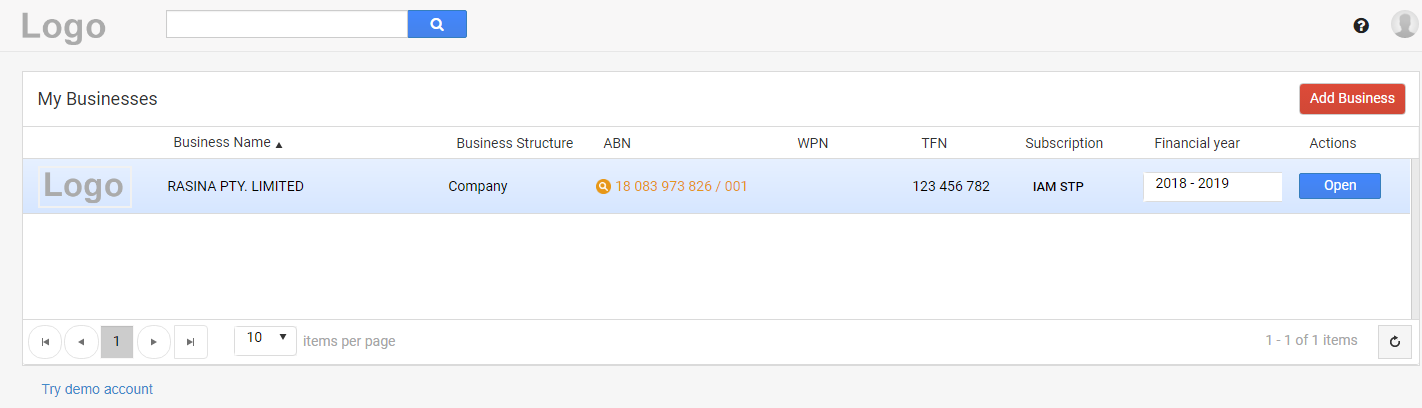
From the top right corner, go to Settings by clicking on that gear icon.
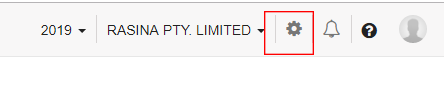
Click on "More Settings".
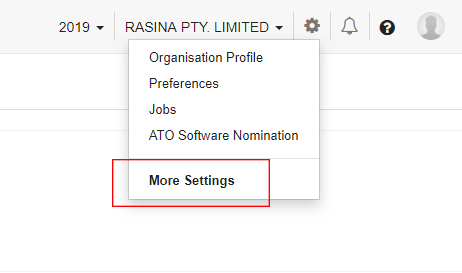
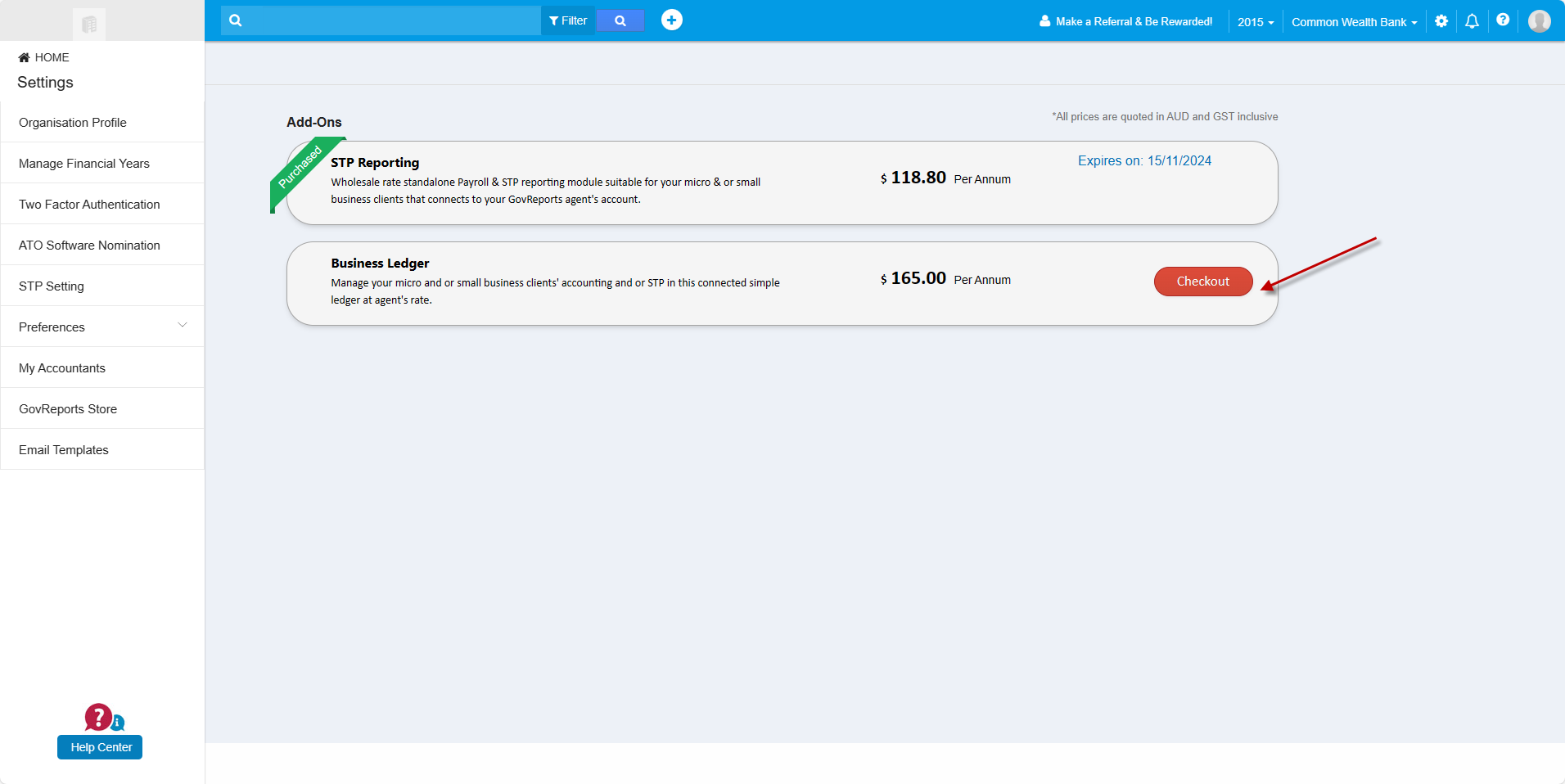
From the menu bar on the left, click "GovReports Store".
Enter number of licenses and checkout for subscription
The payment window appears. Since you have already subscribed and upgrading your IAM account, you don't have to pay the full cost of "IAM Business". A carried forward amount applies.
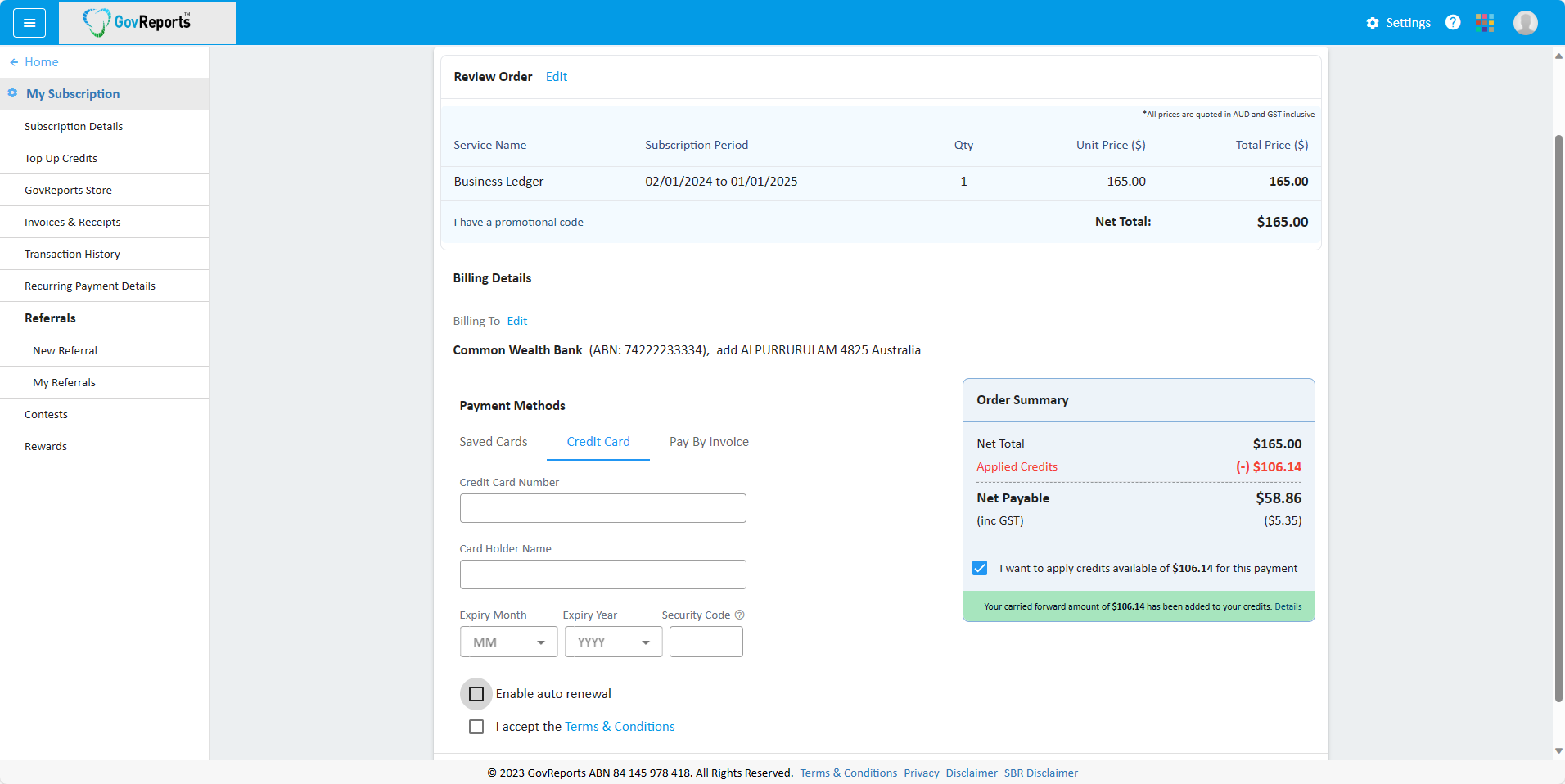
Review the payment details, select a payment method and make a payment.
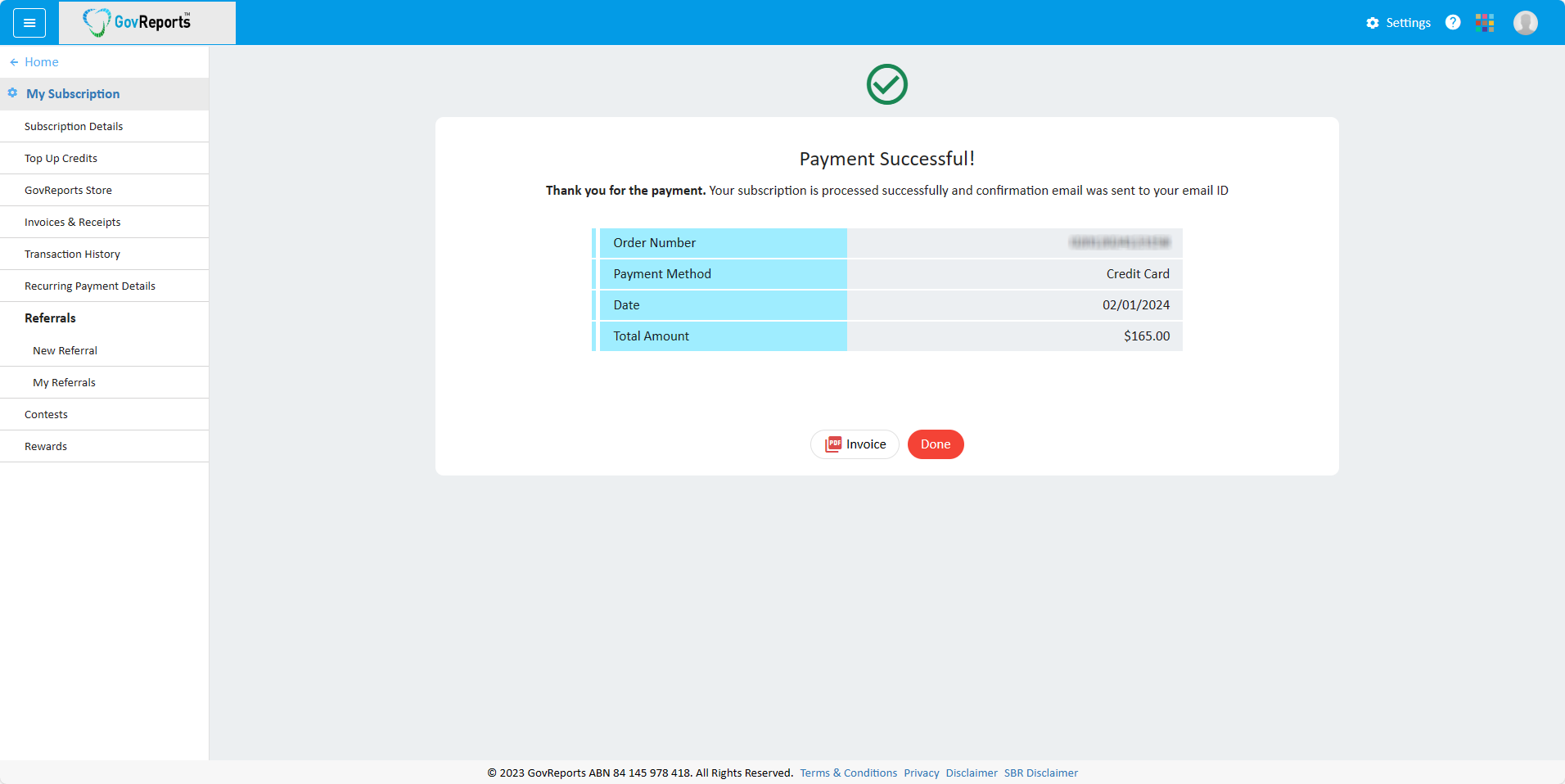
The subscription confirmation screen appears.
Click on Next to view the My Business screen. The subscription now would be "IAM Business".
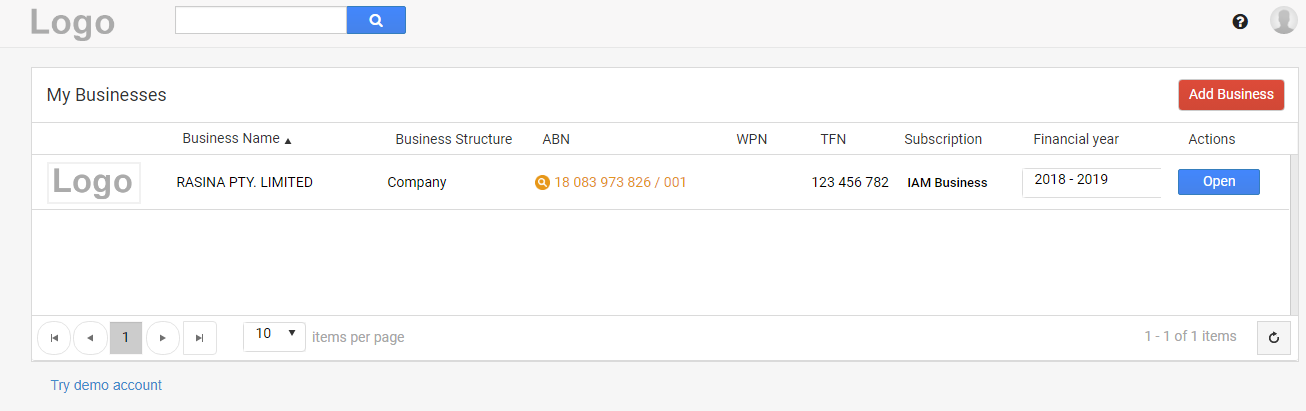
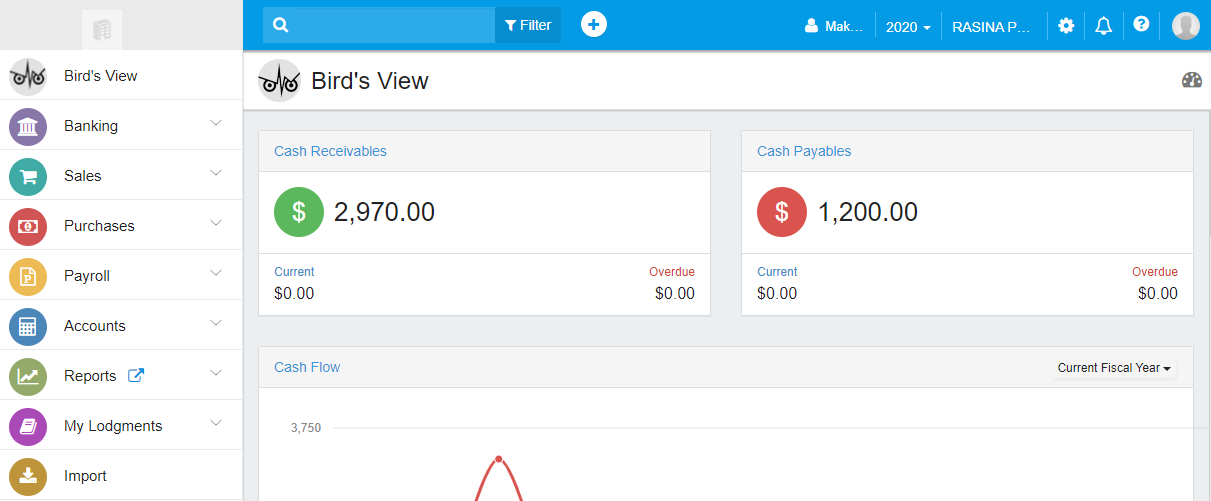
Click on "Open" and you can now start working with not just payroll but also Sales and Purchase data.
Upgrade to IAM Business
If you are currently subscribed to IAM-STP and wish to upgrade to IAM Business, it is possible.
Login to your IAM STP account.
Note that your subscription type is given as "IAM STP".
From the top right corner, go to Settings by clicking on that gear icon.
Click on "More Settings".
From the menu bar on the left, click "GovReports Store".
Enter number of licenses and checkout for subscription
The payment window appears. Since you have already subscribed and upgrading your IAM account, you don't have to pay the full cost of "IAM Business". A carried forward amount applies.
Review the payment details, select a payment method and make a payment.
The subscription confirmation screen appears.
Click on Next to view the My Business screen. The subscription now would be "IAM Business".
Click on "Open" and you can now start working with not just payroll but also Sales and Purchase data.